Circles
A Circle is a private group of friends. It is where your group chat, your shared activity feed, and your real-money pots all live, kept between the people you actually know.
Public points pots show up for everyone in the Discover feed. Real-money pots are different: they are private, and they always live inside a Circle. Only the friends you invite can see them or take a side. A Circle bundles three things for that group: a group chat, a running activity feed, and the pots you run together.
A group chat
Every Circle has its own chat thread, so the trash talk and the pot live in the same place.
An activity feed
See who joined which pot, who took which side, and how things resolved, all in one place for the group.
Private pots
Pots created in a Circle are visible only to its members, never the public Discover feed.
Settle together
When real-money pots resolve, the group pays each other directly and it shows on everyone's reputation.
Creating a circle
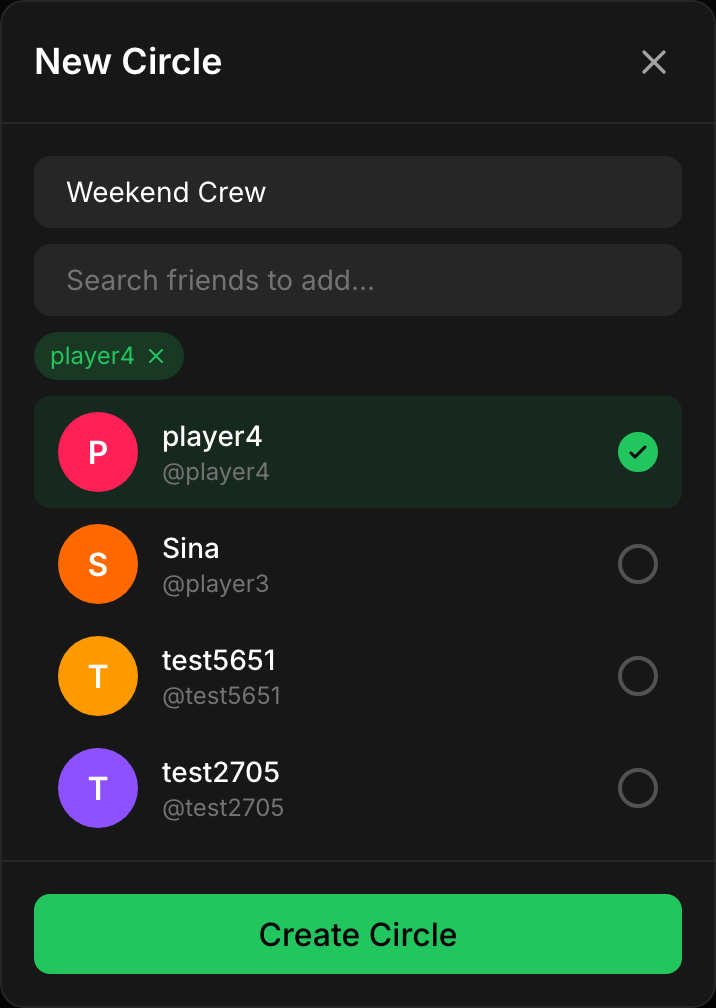
From the Circles tab, tap New Circle. Give it a name and pick the friends to add. When you create it, kapiche drops you straight into the Circle's group chat so you can get talking.
Name your circle
Pick friends to add
Land in the group chat
Inviting people
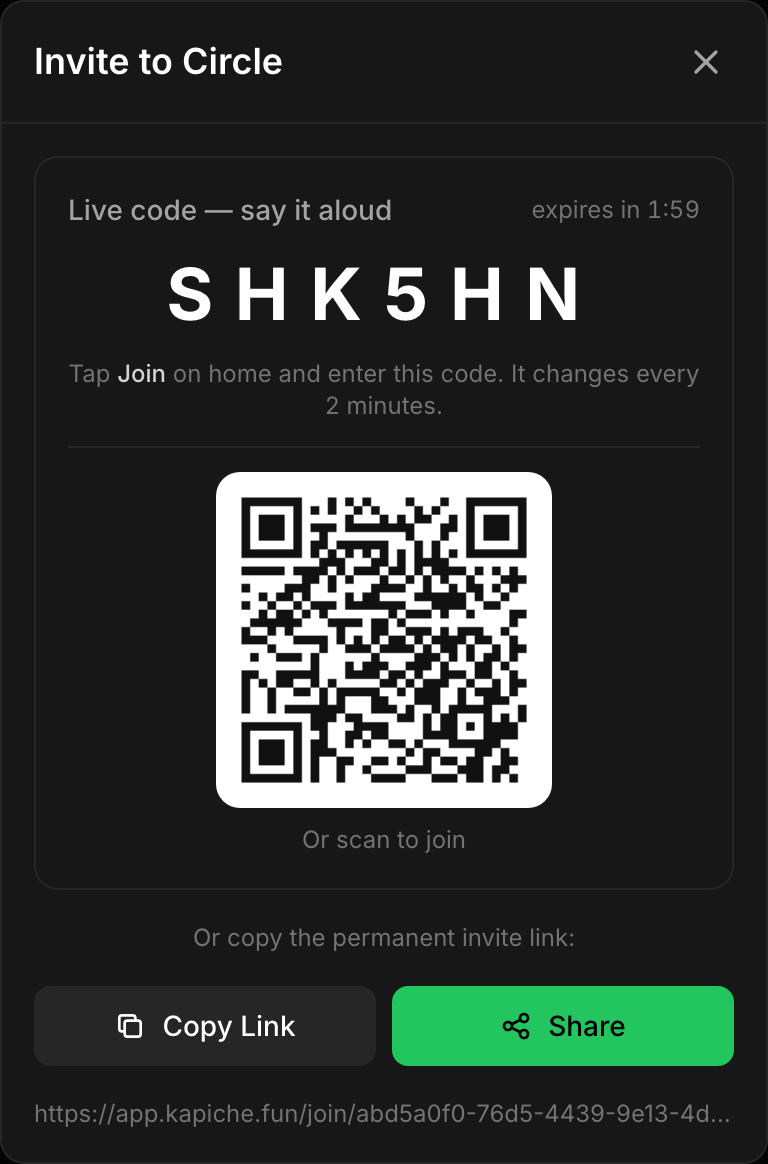
Once a Circle exists, anyone in it can pull in more friends. Open the Circle and tap Invite. You have two ways to bring someone in:
- A live code: a short code your friend can enter to join the Circle on the spot, handy when you are together in person.
- An invite link: a permanent link you can copy or share through your phone's share sheet. Anyone who opens it can join the Circle.
Anyone with the link can join
Inside a circle
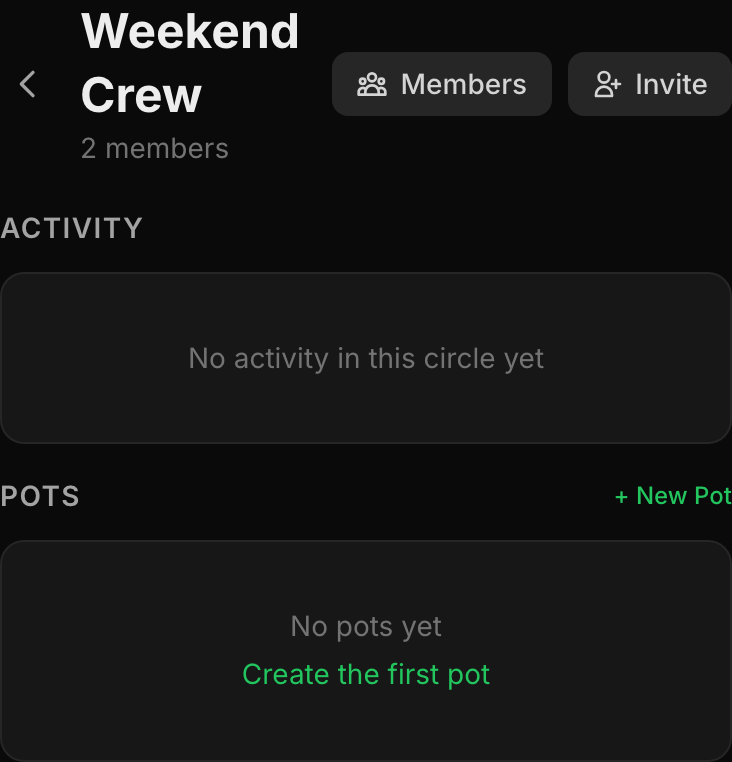
Open a Circle and you get its header with the member count and quick actions for Members, Invite, and Chat, plus two panels: the group's activity and its pots.
The group chat
Every Circle has its own group chat. Tap Chat from the Circle header to jump into the thread. It is the same place your pots get made, so the back-and-forth and the actual position live together. See Chat for how messaging works across kapiche.
The activity feed
The Activity panel is a running feed of what the group is doing: pots that get created, who joined and which side they took, and how things resolved. It keeps the whole Circle on the same page without anyone having to ask.
Circle-only pots
A real-money pot is never public. When you create one you pick the Circle it belongs to, and it is visible only to that Circle's members. Start a pot from a Circle with New Pot, either from the Circles list or the Pots panel inside the Circle. This keeps your money pots between trusted friends, which is the whole point of playing for real.
The Pots panel splits into Active and Settled tabs so the group can see what is still live and what has already wrapped up.
Private by default
Pots created in a Circle are shared only with that Circle's members, never the public feed.
Your own money
Players use their own USDC and pay each other directly when a pot resolves. kapiche takes no cut.
Challenge to a money pot
Want a quick 1v1 instead of a whole Circle? From a friend's profile you can Challenge to a money pot. It opens the create wizard pre-filled as a money pot with that friend, so you just set the question, sides and stake and send it.
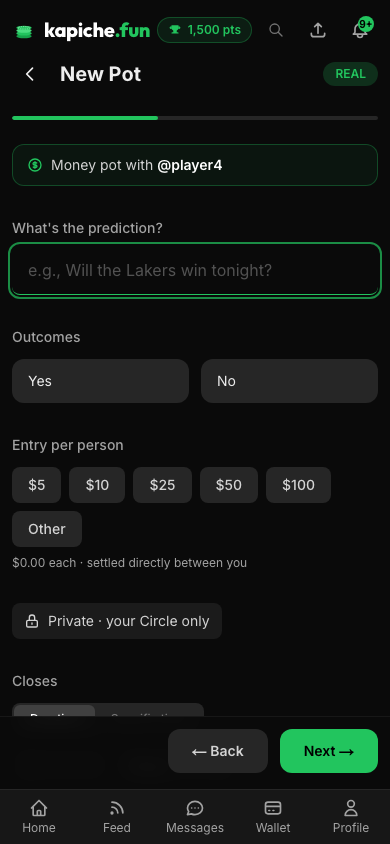
- Pre-filled: the friend you challenged is already set as the other side.
- Still real money: it uses your own USDC and settles peer-to-peer, just like any pot in a Circle.
- Fast: no need to build a Circle first for a one-off head-to-head.
Settling up in a circle
When a real-money pot in your Circle resolves, the people who owe pay the people who are owed, directly in USDC or a cash app. Nobody holds the pot, and kapiche takes no cut; it just records who paid. Because everyone in the Circle sees the activity, it is clear who has settled and who still owes.
Reputation follows you across circles
18+ for real money
FAQ
What is a circle?
Can people outside my circle see our money pots?
How do people join my circle?
Does every circle have a group chat?
Do I need a circle to play with real money?
Can a circle have more than two people?
How do we settle up after a pot resolves?