Chat
Chat is where you talk to the people you play with. Send messages, start a pot, move money, and settle up, all in the same thread.
Every chat is either a 1:1 DM with one friend or a group chat with a few. It is the home base for a real-money pot: you talk trash, make the call, and pay up without ever leaving the conversation.
Coordinate and settle in one place
Starting a conversation
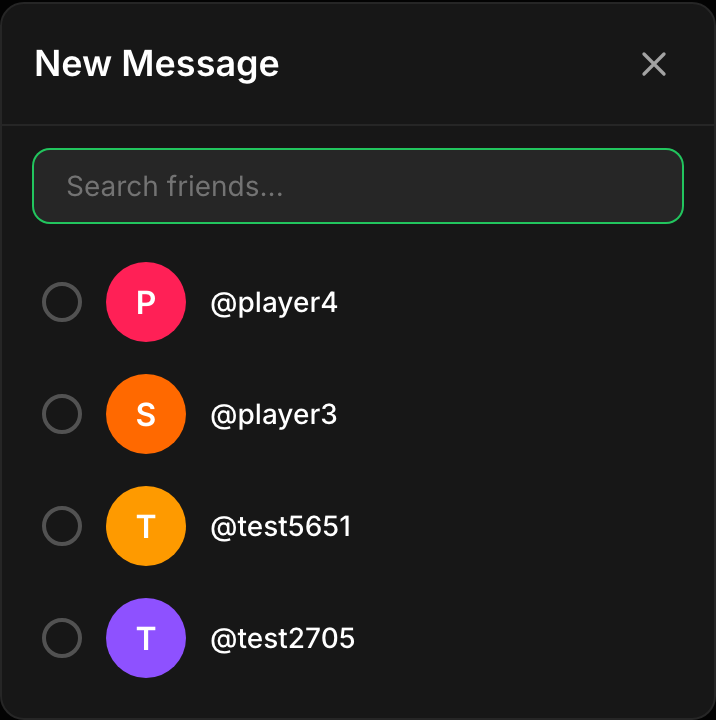
Tap New Message
Pick your friends
Send the first message
Group chats and circles
When you start a chat with two or more friends, kapiche creates it as a Circle: a named, private group. The chat header shows the member count and links straight to the Circle, and any pot run inside stays private to those members.
Private to the group
A group chat is a Circle. What is said and any pot shared there is visible only to members, never the public feed.
Pots live with the chat
Group chats keep a Pots panel of every pot the Circle is running, so the group can find and follow them together.
Photos, GIFs, and video
A thread is not just text. From the + menu in the composer you can drop a photo, a GIF, or a short video right into the conversation, so a call, a receipt, or a reaction lands where everyone can see it.
- Photo attach an image from your library to back up a claim or share the moment.
- GIF search the built-in GIF picker and drop the perfect reaction without leaving the thread.
- Video record or attach a short clip. It uploads, transcodes, and plays inline in the conversation.
Starting a pot from a chat
The fastest way to run a pot with friends is straight from the thread. Open the + menu in the composer and tap New Pot, or use the + Pot button in the chat header. It opens the create-a-pot wizard pre-wired to whoever you are chatting with.
- In a DM, the pot is pre-filled to invite that friend, ready for a quick head-to-head.
- In a group chat, the pot is scoped to that Circle, so every member can take a side and it stays private to the group.
Sending and requesting money
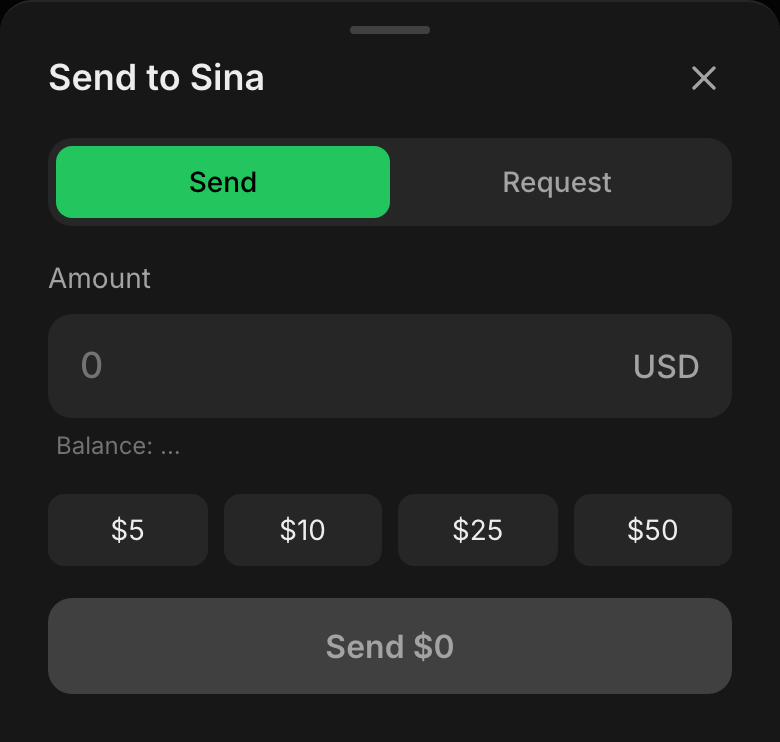
In a DM you can move real money with a friend right in the thread. Open the + menu and tap Money to bring up the payment sheet, then choose to Send or Request. This is your own USDC on Solana, moving directly between your wallet and theirs.
- Send enter an amount and confirm. kapiche checks your balance covers it, then you sign the transfer from your own wallet. A payment card lands in the thread once it settles onchain.
- Request ask a friend for an amount and a request card appears in the chat with Pay and Decline buttons. Tapping Pay pre-fills the transfer so they just confirm.
No middleman, no cut
Where chat and real money meet
Because a real-money pot is private to a Circle or a direct challenge, chat is where the whole thing happens: you agree the terms, watch it resolve, and pay each other. When a pot settles, the same thread is where you square up.
- Coordinate: talk over the question, sides, and stake before anyone commits.
- Follow along: a group chat keeps a Pots panel of everything the Circle is running.
- Settle up: once a referee calls it, use Send or Request to settle up directly, right where the pot lived.
FAQ
What is the difference between a DM and a group chat?
Can I send money in a group chat?
Does kapiche hold the money I send in chat?
How do I start a pot with the person I am chatting with?
What happens after a real-money pot resolves?